
Shipment records are scattered
Job information lives across spreadsheets, messages, folders, and individual team members.
Bring job files, customer records, expenses, invoices, payments, documents, and reporting into one structured operational system.
Manual tools can support a small volume of work. As jobs, clients, expenses, and staff grow, the gaps between those tools become operational risk.
Job information lives across spreadsheets, messages, folders, and individual team members.
The same customer, cargo, expense, and billing details are repeatedly typed into separate files.
Teams lose time checking which invoices are open, partially paid, or waiting for action.
Operational and financial information has to be collected manually before it can support a decision.
The platform keeps the operational and financial story connected from the first job entry through invoicing, payment, and reporting.
Create one structured record for the customer, route, cargo, references, and operational details.
Add notes, attachments, vendor details, and updates without separating them from the job.
Enter multiple expenses quickly with automatic totals and clear links to the work performed.
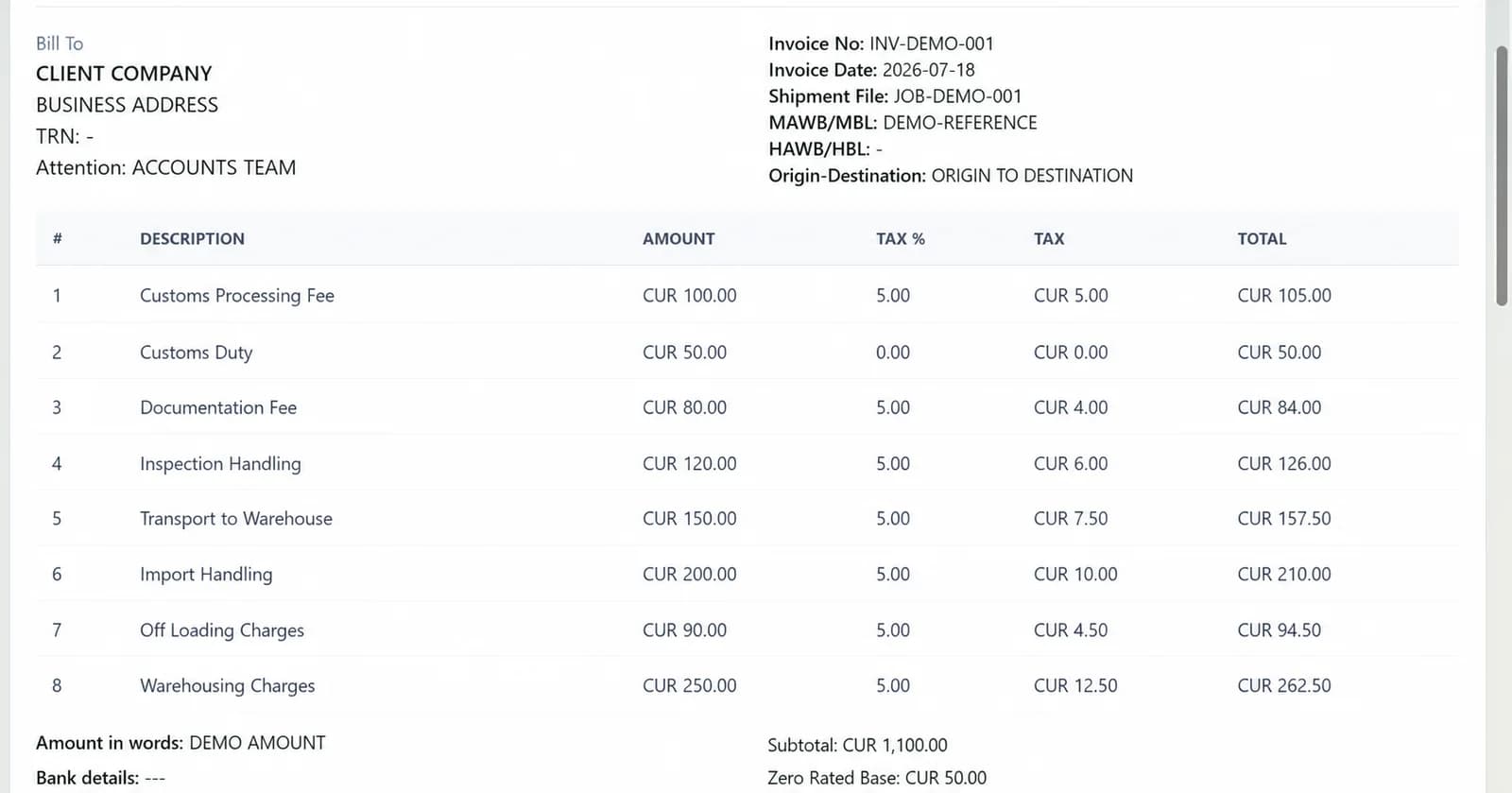
Create structured line items, generate a client-ready PDF, and retain the billing history.
Record payments, review outstanding amounts, and report on activity from the same system.
Each capability is part of the same system, reducing repeated entry and keeping the people handling a job aligned around the same information.
Organize customer, route, cargo, reference, and operational information in one dependable workspace.
Maintain reusable business records so teams stop rebuilding the same information for every transaction.
Prepare structured invoices, calculate totals, generate PDFs, and print from the browser.
Record job expenses efficiently, track incoming payments, and keep financial activity connected.
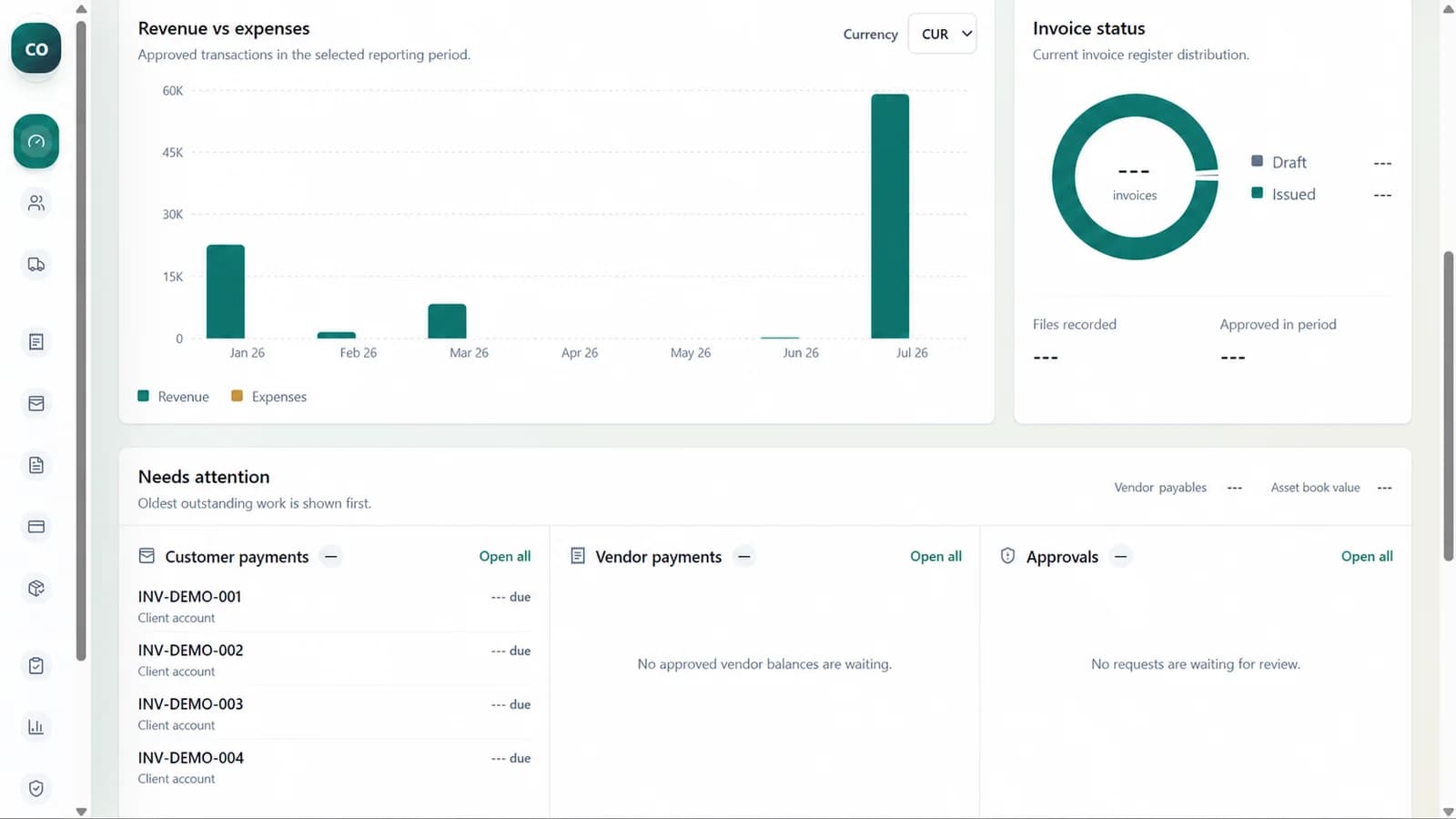
Review jobs, invoices, expenses, payments, and operating activity without rebuilding reports in Excel.
Keep supporting files, operational notes, and important context attached to the record that owns them.
Track business assets, depreciation, and wider operating expenses alongside cargo operations.
Give each staff member appropriate access and retain clearer accountability for important changes.
Capture customer, shipment, route, cargo, reference, and line-item details without rebuilding the record for invoicing.
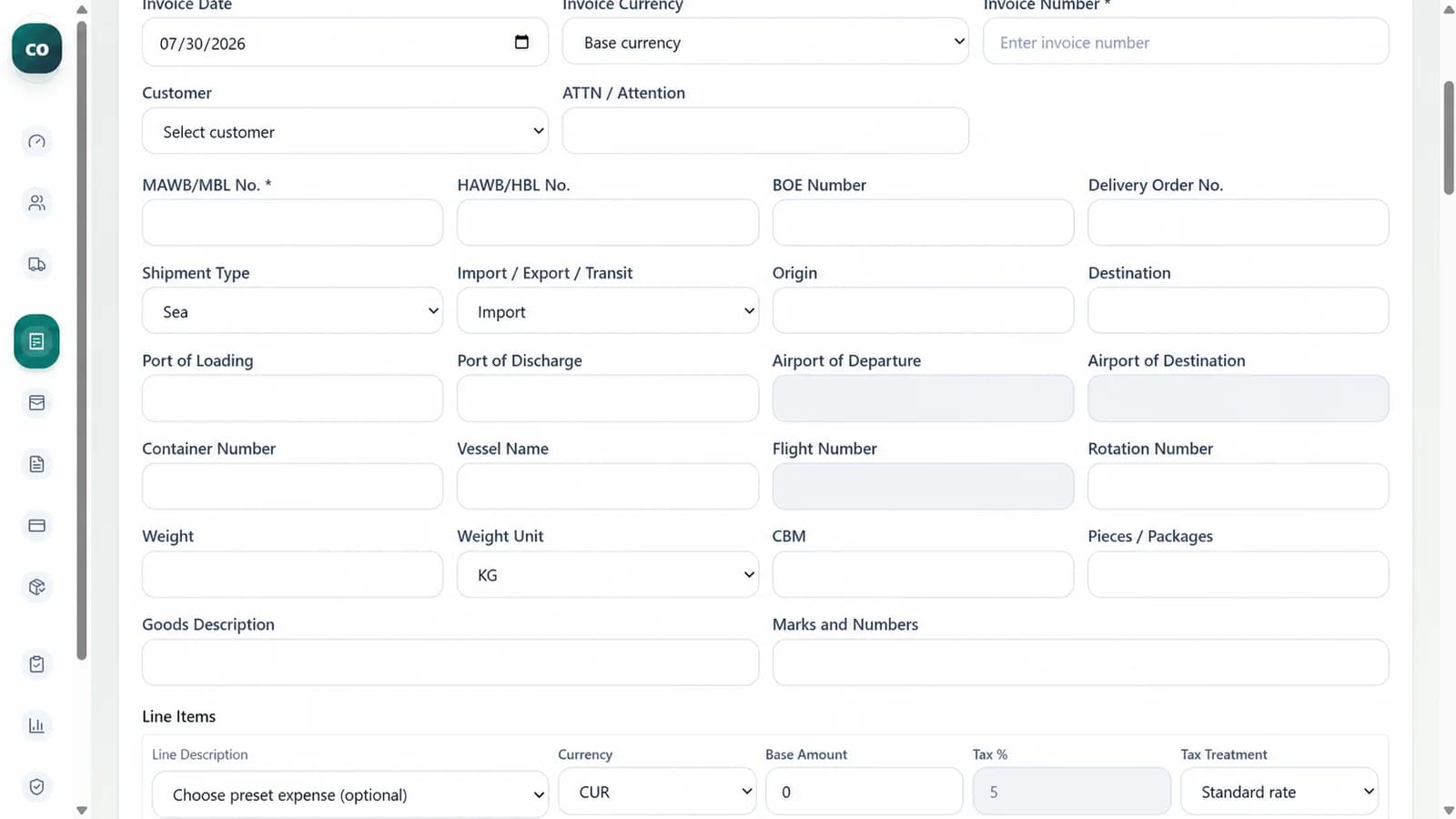
Build line items, calculate taxes and totals, produce PDFs, and preserve a clean invoice history.
Review job, invoice, expense, and payment activity from trusted transactional records.
The objective is not to digitize isolated forms. It is to reduce the handoffs, repeated entries, and missing context that slow down the whole job.
Discuss your current workflowA dependable rollout needs more than software access. It needs clean ownership, prepared data, trained users, and tested workflows.
Map the way jobs, expenses, invoices, and payments currently move through your team.
Set up company information, working modes, users, roles, and document requirements.
Clean and organize the records that need to move from existing files into the system.
Validate real workflows with your team before day-to-day operations move across.
Resolve early issues, refine the workflow, and support continued operational improvement.
The walkthrough is shaped around your current records, team responsibilities, and the workflow you want to improve.
It is designed for freight forwarders, cargo operators, and clearing companies that manage job files, invoices, operating expenses, payments, and supporting documents.
Yes. The migration scope depends on the structure and quality of the existing files. We review the data first, identify what should be retained, and agree on a safe import approach.
Yes. Company details and invoice presentation can be configured so generated documents are suitable for client delivery.
Yes. Role-based access can separate responsibilities across management, operations, finance, and other team functions.
The system is designed around configurable business workflows. We first identify what can be handled through the existing foundation and then scope any company-specific requirements.
The engagement includes handover and launch support, with ongoing maintenance and improvement options available as the team and workflow evolve.
Share how your team currently manages jobs, invoices, expenses, and payments. We will focus the walkthrough on the parts of the system that matter to your operation.