
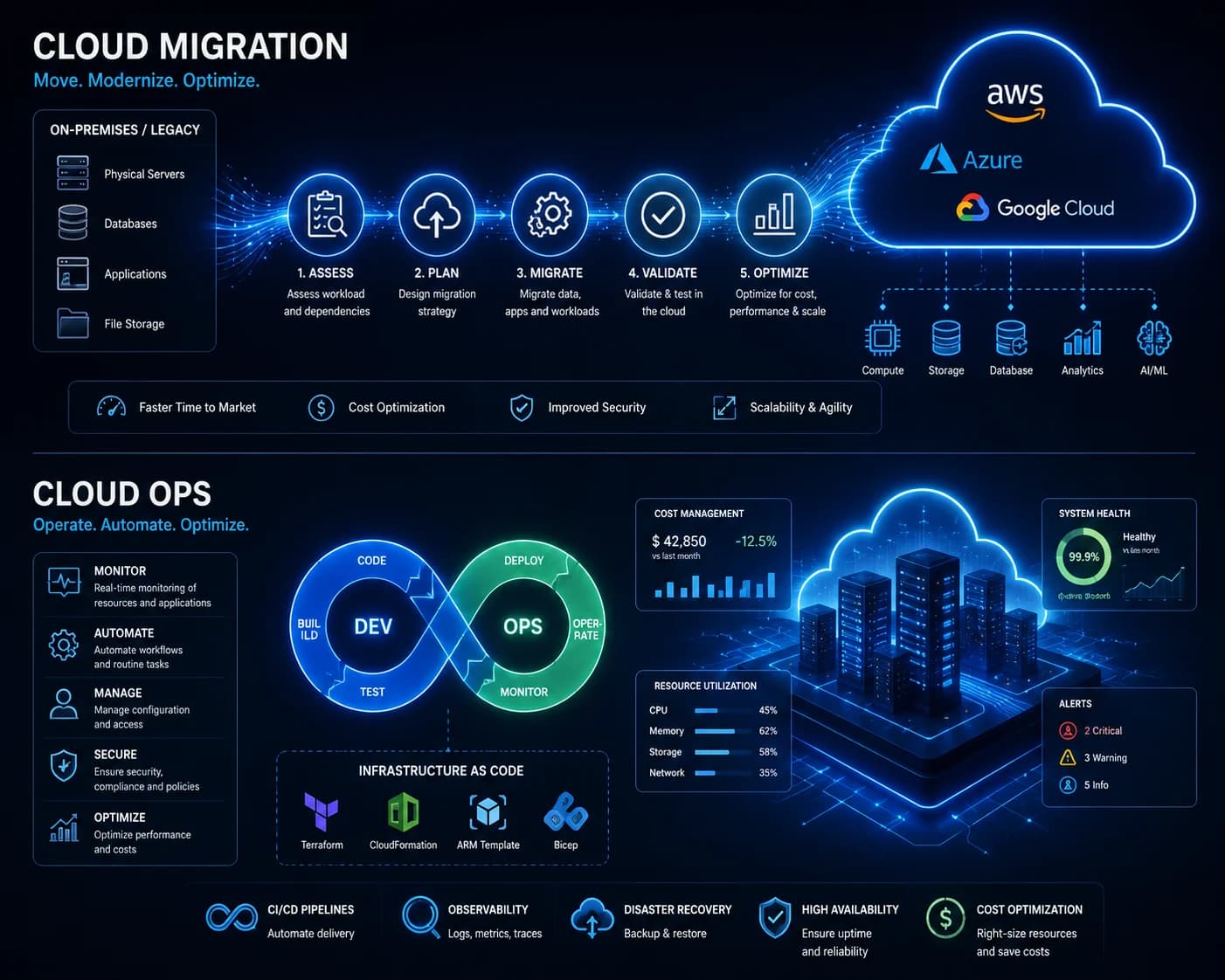
Cloud Migration for Small Businesses: A Low-Risk Guide
A safe cloud migration protects business continuity before it pursues performance or cost improvements. Inventory the current environment, define recovery requirements, test the target, and move traffic through a reversible cutover plan.
What is the recommended approach?
Treat cloud migration as a controlled operational change. Audit applications, data, DNS, integrations, access, backups, and dependencies; choose a target based on requirements; rehearse migration and rollback; then monitor availability, security, cost, and data integrity after cutover.
What should a cloud migration assessment include?
Document every workload, dependency, data store, integration, domain, certificate, access path, backup, traffic pattern, and responsible owner.
Also record current incidents, performance limits, contractual requirements, data location constraints, and recovery expectations. Unknown dependencies are a common source of disruption during migration.
How do you choose the right migration approach?
Choose per workload: move it largely unchanged, improve selected components, replace it with a managed service, or retire it.
The right choice depends on business value, technical condition, risk, team capability, and expected lifetime. Avoid redesigning every system during the move unless the current architecture makes a direct migration unsafe or uneconomical.
How can cloud migration downtime be reduced?
Use staged data transfer, production-like testing, explicit cutover steps, a maintenance window when needed, and a verified rollback path.
Lower DNS time-to-live in advance where appropriate, confirm data synchronisation, freeze risky changes, and assign decision owners for go/no-go checkpoints. Backups should be restored in testing—not merely assumed to work.
What happens after cloud migration?
Validate the system, remove obsolete access, and operate the new environment with monitoring, backups, patching, cost controls, and named ownership.
Check application behaviour, data integrity, logs, alerts, recovery jobs, permissions, and bills. Cloud costs and security posture can drift quickly when resources, owners, and retention policies are not reviewed.
Questions teams ask before they begin
How long does a cloud migration take?
It depends on workload count, data volume, dependencies, compliance, acceptable downtime, and the amount of remediation required. An assessment should separate preparation, testing, cutover, and stabilisation rather than presenting one unsupported date.
Can a business migrate to the cloud with no downtime?
Some architectures support near-zero-downtime cutovers, but this is not universal. The safer objective is a tested continuity plan with defined downtime tolerance, data consistency checks, and rollback conditions.
What is the biggest cloud migration risk?
The largest risks usually come from incomplete dependency knowledge, untested recovery, weak access controls, and unclear ownership. A migration plan should make each of these visible before production changes begin.
What supports this guide
- Application portfolio assessment guide for cloud migrationAWS Prescriptive Guidance
Turn the guide into a practical project plan
Waka can help clarify the workflow, define the right first release, and create a delivery plan around your users, risks, and business goals.